



Mac screenshots for you and your AI agent.
Screenshot Bubba rides in your menu bar. Take a screenshot yourself, or ask Claude about a window and Claude takes the screenshot. Works with Claude Desktop, Claude Code, Cursor and Codex.
Try it here: drag a box anywhere on this page. browser demo
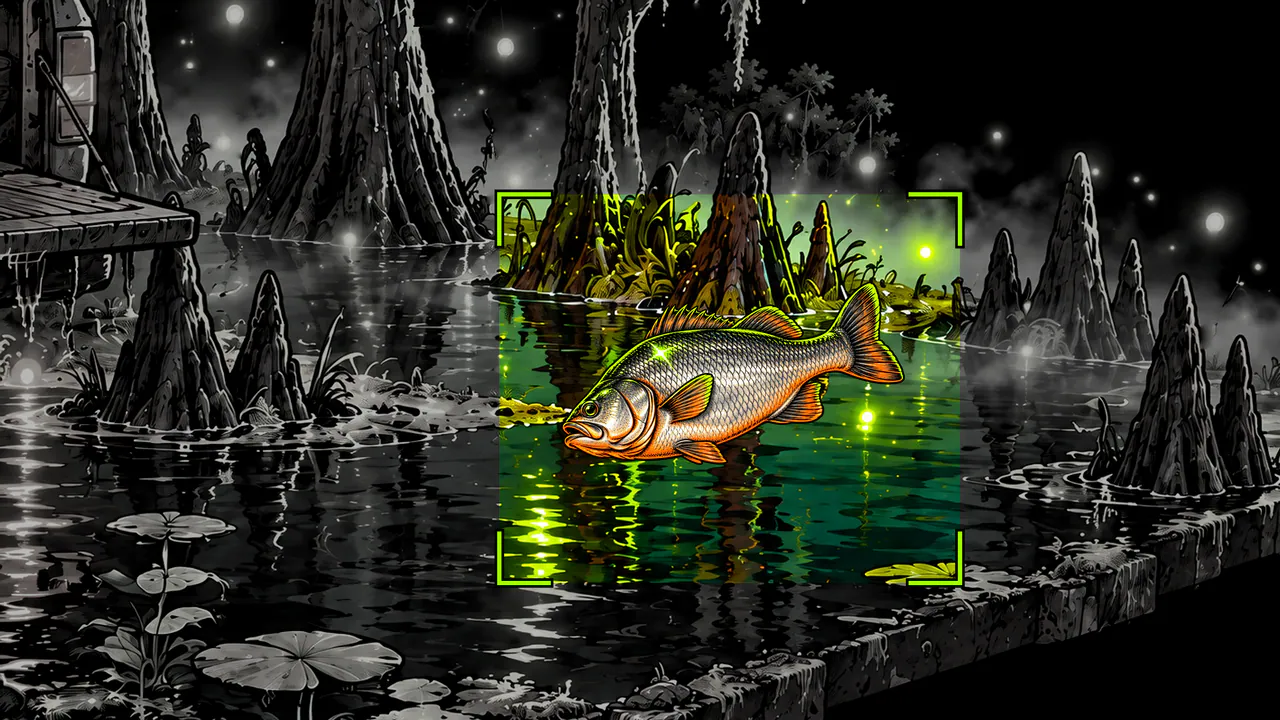

Took me all season to write that. You'll get it in one picture.
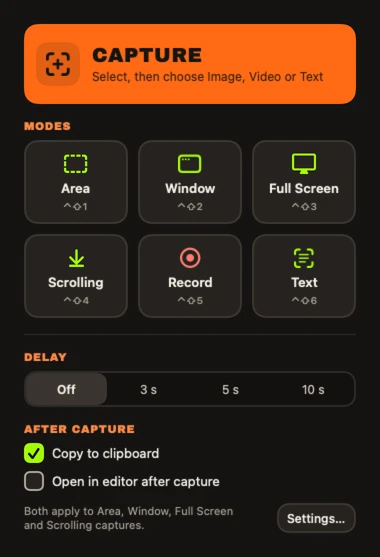
Capture
Screenshot the menu that won't hold still.
The screen freezes before you drag, so tooltips and open menus stay put.
- Scrolling capture stitches a long page into one tall image.
- Capture Text copies the words in any area, and reads QR codes and barcodes.
- Each screenshot lands as a card in the corner, ready to drop into Mail or Slack or open in the editor.
- Every capture hotkey is yours to change.
Scrolling capture gets this whole log in one image. browser demo
Bubba's fishing log
| Night | Catch | Remarks |
|---|---|---|
| 1 | Bass | Two pounds. I said four. |
| 2 | Bass | Same bass. |
| 3 | Nothin' | Nice moon. |
| 4 | Boot | Left foot. |
| 5 | Gar | Looked at me funny. |
| 6 | Nothin' | Wind was wrong. |
| 7 | Boot | Right foot. Now we're talkin'. |
| 8 | Bream | Threw it back. It came back. |
| 9 | Nothin' | Wind was still wrong. |
| 10 | Hubcap | Not mine. Fits, though. |
| 11 | Turtle | Let him go. He knows what he did. |
| 12 | Bass | That bass again. We nod now. |
| 13 | Stick | Fought hard, for a stick. |
| 14 | Bass | He's gettin' comfortable. |
| 15 | Catfish. Big as a door. No picture. | |
Log ends here. Scrolling capture got all of it. Even the lies.

Pelican's your agent tonight. I caddy for him too. He don't tip.

AI agents
Your AI agent takes its own screenshots.
Ask your agent what's wrong with this invoice, and it captures the window, marks the spot and shows you.
How the two of you work
- It looks. It captures a window or a long page and reads the text on it.
- You point. When your agent needs to know which part you mean, you show it.
- You get the last word. Your agent can hand you its markup to check: it opens in the editor. Change anything and it uses your version.
- You choose how long it can look: once, until Screenshot Bubba quits, or always. The menu bar icon flashes every time it captures.
- Before your agent sees a screenshot, the app blacks out the emails, phone numbers, API keys and card numbers it finds.
- It also records the screen and searches your old screenshots.
Set it up in Claude Desktop, Claude Code, Cursor or Codex CLI →


It's an MCP server and a bubba command-line tool. In Claude Code it's one line:
claude mcp add --scope user bubba -- '/Applications/Screenshot Bubba.app/Contents/Helpers/bubba' mcp
They want you to book a demo. For an arrow.
Mark up
Point an arrow at the problem. Number the steps.
The editor has 22 tools: arrows, numbered steps, callouts, blur, redaction and more.
- Numbered steps count up on their own and renumber when you delete one.
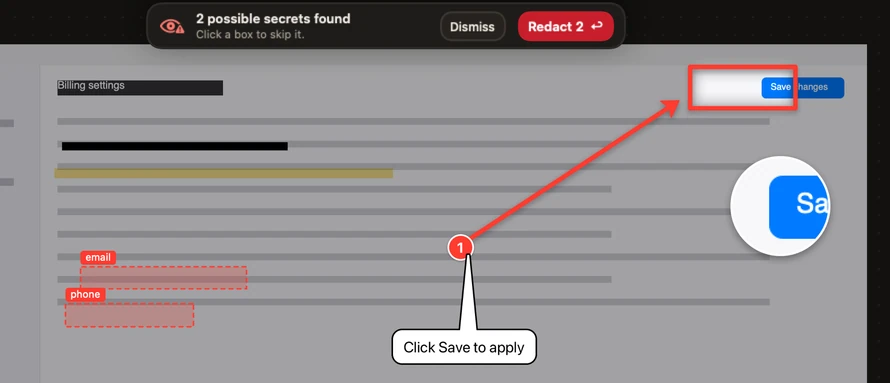
- Auto-redact boxes the emails, phone numbers, API keys and card numbers it finds. You choose what to black out.
Auto-redact can miss things, so look before you share. - Save it and you can come back and move your arrows. Export it and what you blacked out is gone for good.
- Your agent draws with the same tools.
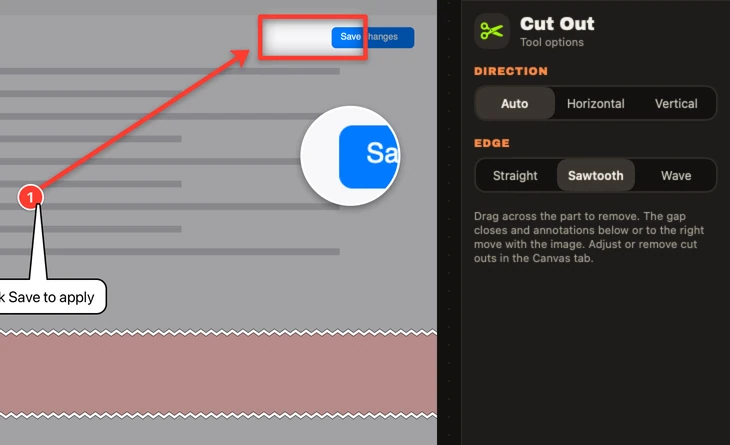
- Cut Out removes the middle you don't need, like rows 10 to 40 of a spreadsheet, and closes the gap.
- V Select
- A Arrow
- L Line
- R Rectangle
- O Ellipse
- T Text
- C Callout
- N Step
- H Highlighter
- P Pen
- B Blur
- X Redact
- Z Pixelate
- S Spotlight
- M Magnifier
- F Fill
- E Eraser
- U Cut Out
- K Crop
- I Stamp
- W Star
- G Polygon
Take a tool off the wall. browser demo

Total: $7.99. Paid once.
Pick the seam: Straight, Sawtooth or Wave. browser demo
One picture's a fish story. Six in order is evidence.

Collections
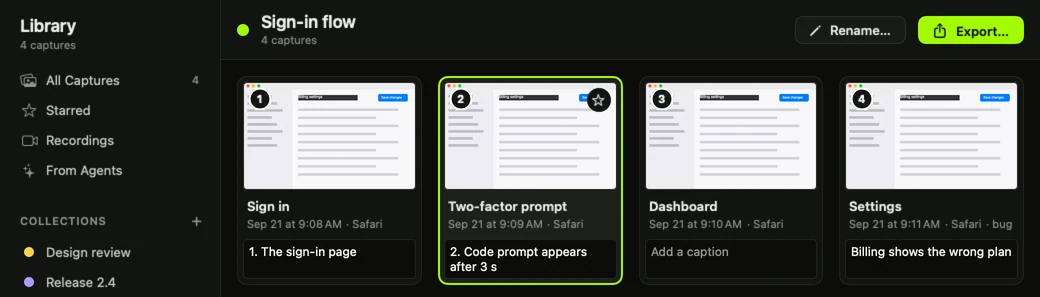
The how-to takes six steps. Keep all six screenshots in order.
That's a Collection. It does the same for the four clicks that set off a bug.
- Start a Collection and every screenshot you take joins it.
- Caption any screenshot that needs explaining.
- Export a folder of numbered pictures named with your captions, like "02 - Enter the code.png".
Your agent builds them too: ask it to capture each step as you go, and it files them in a Collection. It also reads the ones you made.
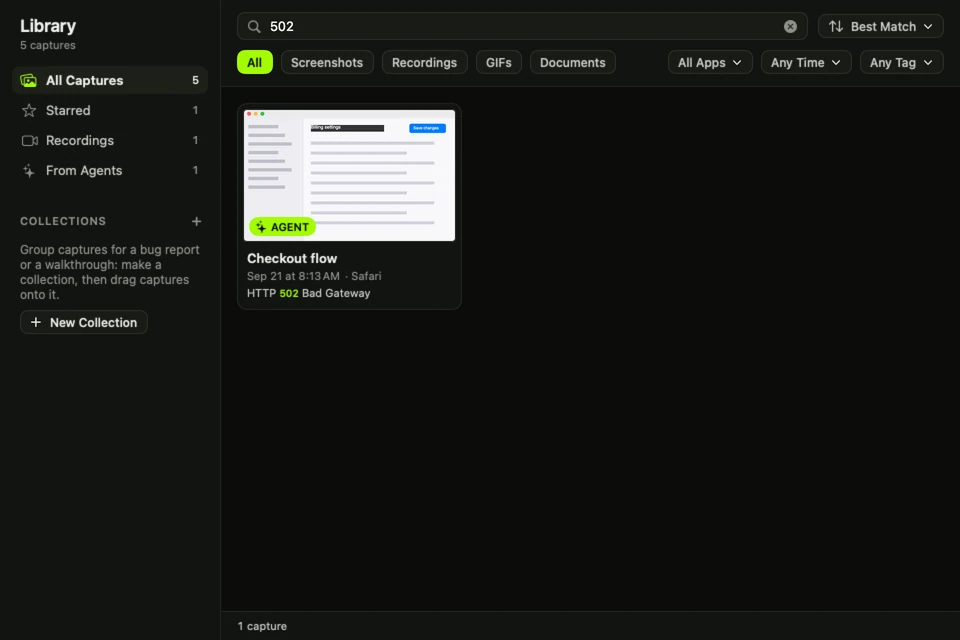
Search your screenshots by the words in them.
Every screenshot and recording goes into your Library.
browser demo

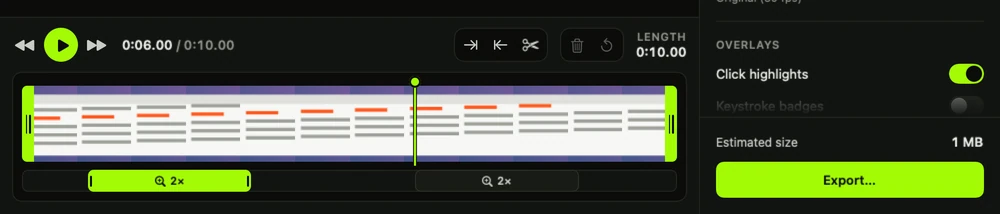
It zooms in on your clicks. Makes it look like you meant to.

Also included
Screen recording, pinned screenshots and a color picker.
- Record a window or the whole screen, trim it, zoom in on your clicks and export MP4 or GIF.
- Pin a screenshot and it floats above every window while you work from it.
- Copy the color under your pointer while you capture.
Bubba Mode: bigger buttons, blaze orange, for fun.
One switch. Bubba drops tips in the editor.
Look up.



Seven ninety-nine. That's a six-pack. Six-pack's gone by mornin'. This you keep.
OPENS AT LAUNCH
Price
$7.99. Paid once. No subscription.
Updates included. One license key works on up to 3 Macs at a time.
macOS 15 or later on Apple Silicon (M1 or newer).
Tax may be added at checkout depending on where you live.
Pay, download, paste in your key. After that it works offline.
Have a key? Download Screenshot Bubba.THE BAIT SHOP SCREENSHOT BUBBA ONE NIGHT ON THE BAYOU ------------------------------------- 0 SCREENSHOTS TAKEN ------------------------------------- WHAT $7.99 GETS YOU EVERY CAPTURE MODE ............ INCL SCROLLING AND TEXT CAPTURE .... INCL 22-TOOL EDITOR, REDACTION ..... INCL COLLECTIONS, SEARCHABLE LIBRARY INCL RECORDING, MP4 OR GIF ......... INCL WORKS WITH YOUR AI AGENT ...... INCL BUBBA MODE .................... INCL UPDATES ....................... INCL SUBSCRIPTION .................. $0.00 TOTAL ......................... $7.99 PAID ONCE CASHIER: BUBBA CADDY: ALSO BUBBA
Your screenshots are saved on your Mac.
So are your recordings. Text is recognized on your Mac and saved there too. We never receive any of it.
The details
The details: modes, settings and permissions
What you can capture
Area. Window. Full screen. All displays stitched into one image. Menus. Fixed sizes. Your last capture again. A self-timer of 3, 5 or 10 seconds.
Capture Text
Copies the words in any area. Reads QR codes and barcodes.
All-in-One
One capture, then Image, Video, Text, Scrolling or Copy from a single toolbar.
Scrolling
One image up to 30,000 pixels tall. With Accessibility on it scrolls for you; otherwise you scroll and it stitches.
The loupe
Pixel coordinates and the hex color under your pointer. Colors copy as hex, RGB, HSL, SwiftUI or NSColor.
Element snapping
With Accessibility on, a capture can snap to a button, a toolbar or any other element inside a window.
The card
A card lands in the corner and stays 8 seconds, longer while you hover it. Copy, Save, Edit, Pin, Close. Drag it into Finder, Mail, Slack or a browser. Pins float above every window.
Hidden from capture
1Password, Bitwarden, Keychain Access and Passwords, by default. The list is yours to edit.
The 22 tools
- Select. Move, nudge or delete anything you drew.
- Arrow. Straight or bent.
- Line. Free, or kept to 45°.
- Rectangle. Or a perfect square.
- Ellipse. Or a perfect circle.
- Text. Stays editable.
- Callout. Turn it and the tail stays on the spot it points at.
- Step. Numbers count up and renumber when you delete one.
- Highlighter. Erase just part of a stroke.
- Pen. For when you need to circle it like you mean it.
- Blur. Softens an area.
- Redact. Exports burn it in, so it can't be pulled back out.
- Pixelate. Turn one and it still covers its whole unturned box.
- Spotlight. Everybody look at this part.
- Magnifier. For the part they'll say they can't read.
- Fill. A paint bucket with adjustable tolerance.
- Eraser. The circle shows what it'll take. Locked items stay.
- Cut Out. Removes a strip and closes the gap.
- Crop. Trim to what matters.
- Stamp. Checkmarks, thumbs, warnings, or any emoji.
- Star. Any number of points.
- Polygon. Any number of sides.
Editor
Six Quick Styles. Layers. Unlimited undo. .snap files keep the untouched original with annotations that stay editable. Exports to PNG, JPEG or HEIC are flattened. A PDF keeps arrows, shapes and text as vectors, with redactions and crops burned in. Canvas: padding, gradient or color background, corner radius, shadow, border, torn or faded edges. Cut Out seams: Straight, Sawtooth or Wave, and it stays changeable later.
Library
Search finds words inside your screenshots, window titles and app names. Filter by app, date, kind, tags, favorites or collection. No time limit by default. Past 10 GB the oldest go first, and you can change or remove that limit. Favorites and anything in a Collection are never removed.
AI agents
Captures a window or a long page and reads the text on it. Draws arrows and notes with the editor's tools. Redacts. Records the screen. Searches your Library. Creates, adds to and reads Collections. Works with Claude Desktop, Claude Code, Cursor, Codex CLI and any other MCP client that can run a local command.
Recording
Region, window or display to MP4, in HEVC or H.264, at 30 or 60 fps. System audio and microphone are optional and on separate tracks. The webcam bubble is off by default and is its own track. Pause, resume, a 3-second countdown, a timer in the menu bar. If the disk fills or the display is unplugged, the recording stops and keeps what it had. Keystroke badges: switch on keystroke logging and the recording editor can draw the keys you pressed. Key names (A, Return, ⌘) are saved in a file next to the recording. Password fields are skipped.
Permissions
Screen Recording for capture. Accessibility for automatic scrolling, Tab snapping, keystroke badges and letting an agent read a window's contents. Microphone and camera when a recording uses them.
Network
The app makes two kinds of request. License activation, when you press Activate or Deactivate, sends two things: the license key and a scrambled ID for that Mac. Update checks: you choose on the second launch. Turned on, it checks about once a day and shows what's new before installing. macOS checks the app's signature with Apple. Point the export folder at iCloud Drive or Dropbox and each new item is copied there.
Checkout
Checkout takes your name, email and billing details. The app itself has no account.